You have created an account with us using a user name and a password and linked it to the "BundID"?
Please log in with your e-mail address and the password you have assigned to your account with us.
Logging in with the "BundID" ("Federal ID") is currently not possible in our apps. On this page you can find out how to log in with your Federal Employment Agency account.
You have created an account with us using a user name and a password and linked it to the "BundID"?
Please log in with your e-mail address and the password you have assigned to your account with us.
So far, you have always used the "BundID" to log in and have not yet assigned a password for your account with us?
This is how you assign a password:
Close the app and open an internet browser.
Log in to our portal (arbeitsagentur.de) using your "BundID".
At the top, select "Profile".
Select "Account settings".
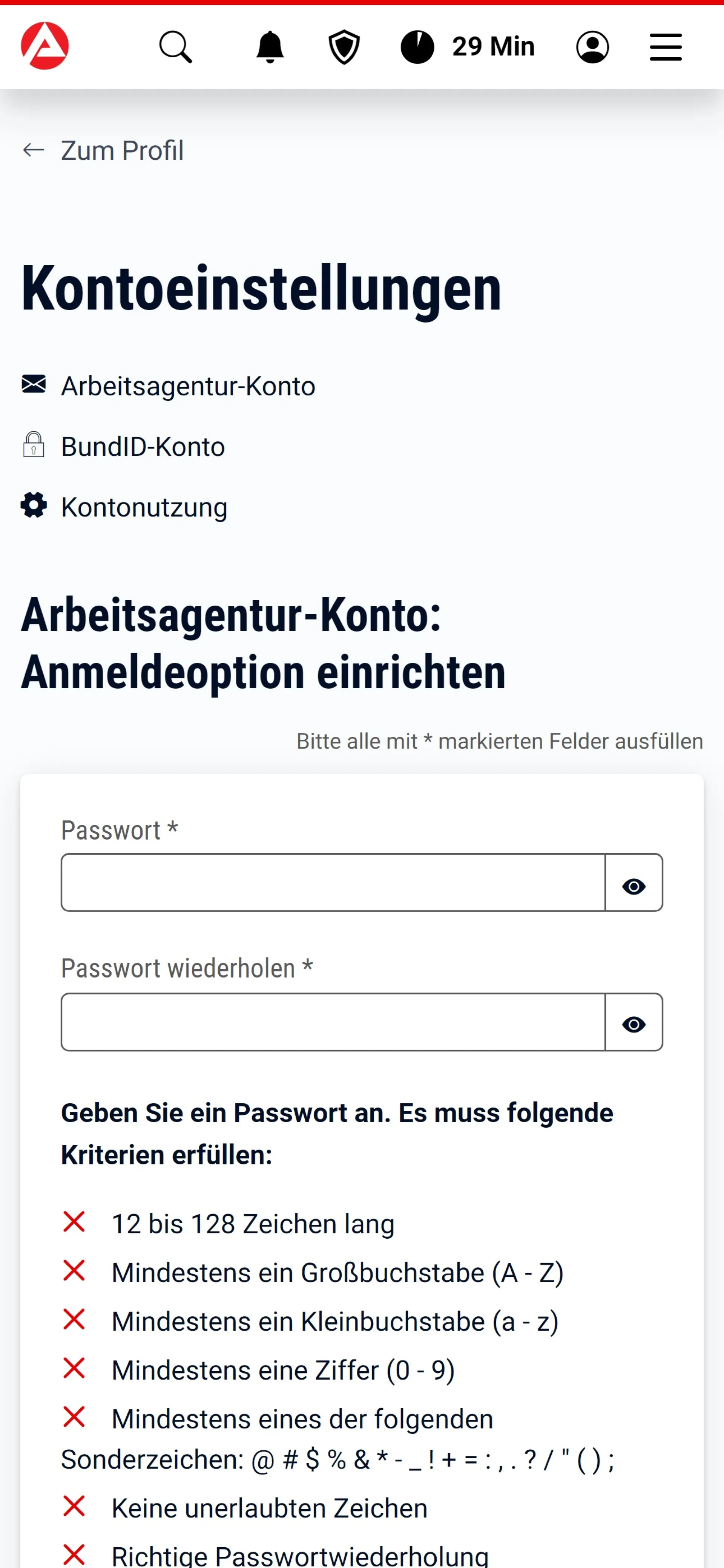
In the "Employment Agency account" category, select "Set up login option".
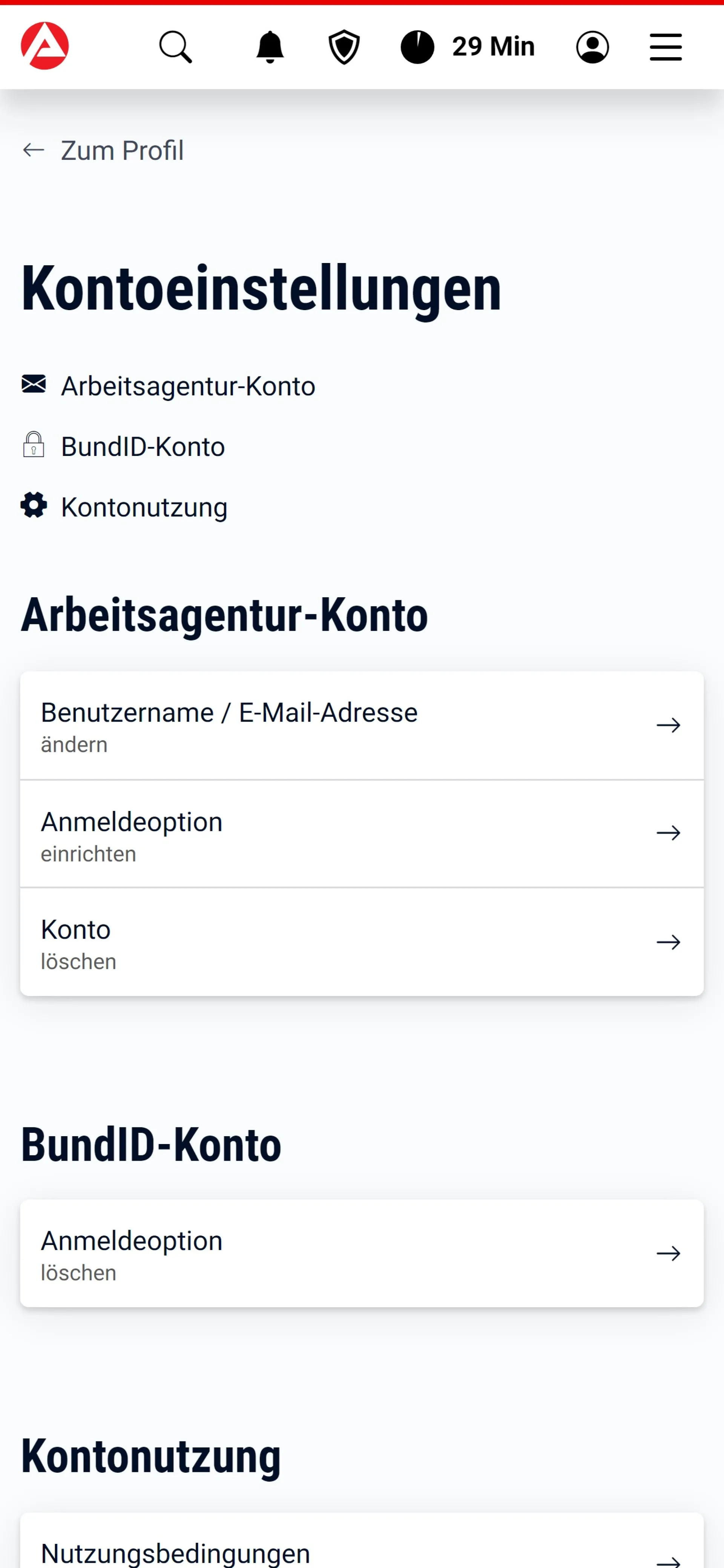
Enter the desired password.
Return to the app.
To log in, use the e-mail address you specified for your "BundID" and your new password.